See it work
Your spreadsheets, on your phone.
Half a minute, from connecting the tools to live numbers.
Already tracking it here
One app.
Live numbers.
No laptop. No month end. No waiting on anyone.
Revenue this week
$0
▲ $780 just now
Read the transcript
Blumeo connects to whatever you already use — QuickBooks, Excel, Google Sheets — and turns it into an app on your phone.
Revenue this week. Jobs completed. Average ticket. Invoices still unpaid. Updating live, all day, without you touching anything.
So when someone asks how the business is doing, you don't guess. You look.
What you get
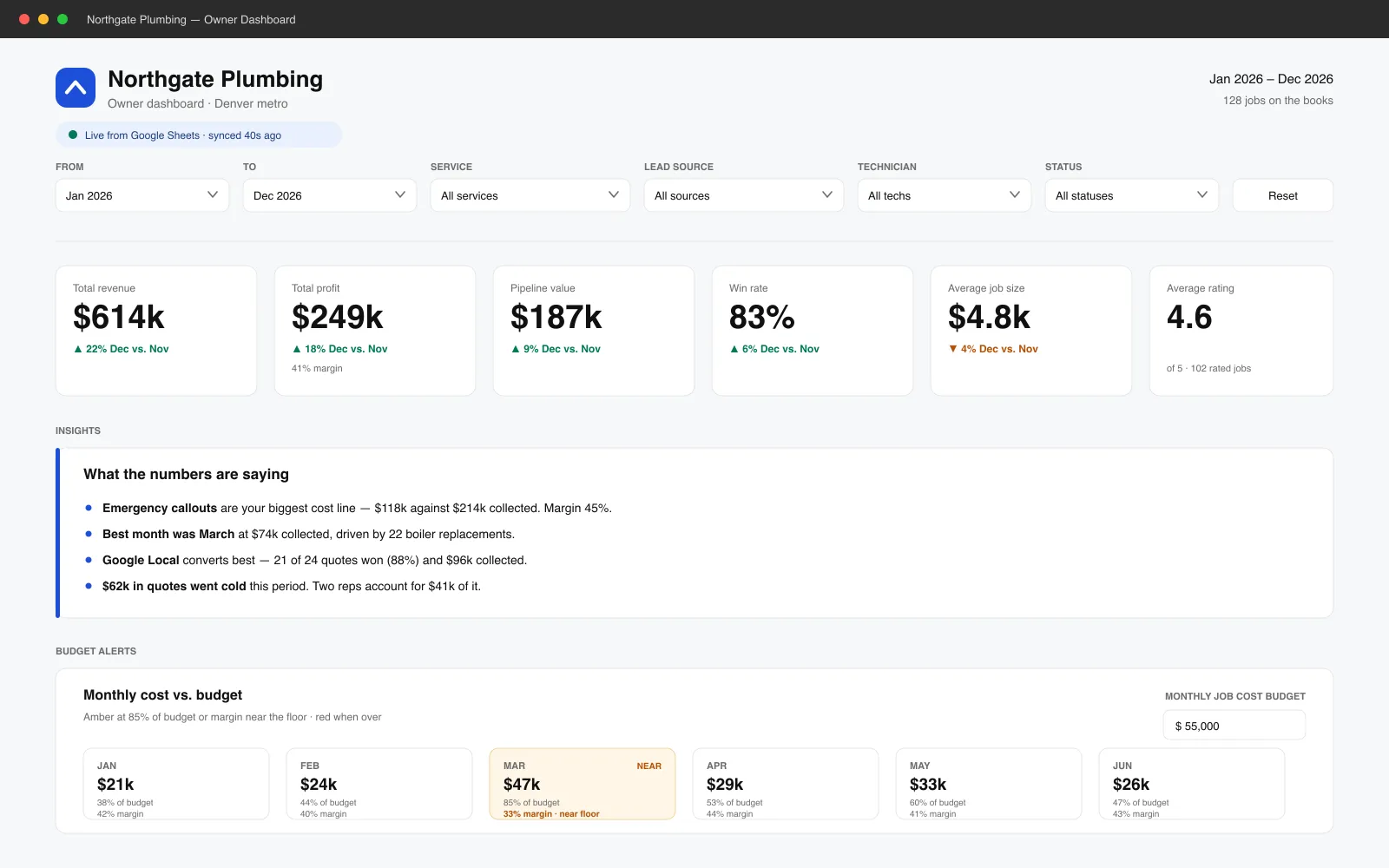
The spreadsheet, made readable.
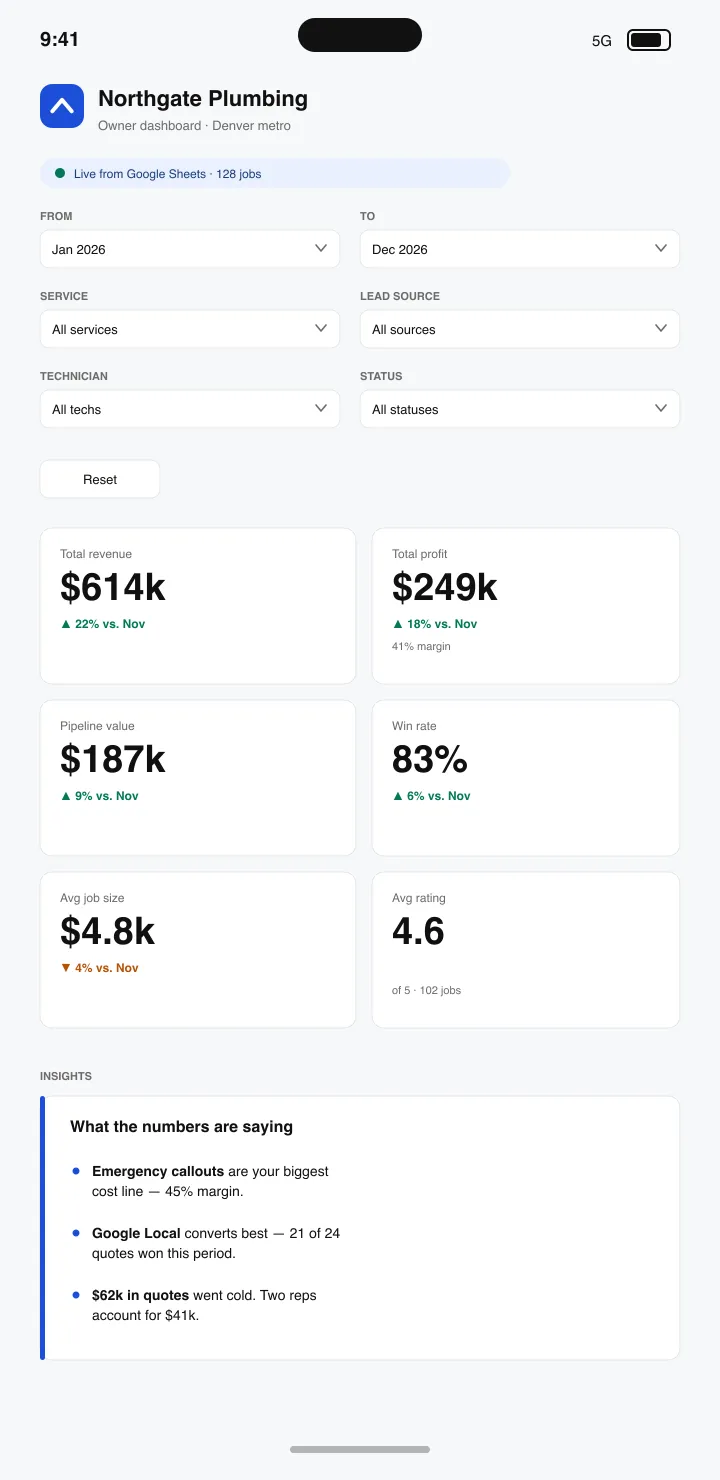
Same numbers you already keep — filters, live totals, and a plain English read on what's actually going on.
On your phone
It lives on your home screen.
No app store, no download, nothing to update. It's a real app icon that opens straight to your live numbers.
-
We send you a link
One address, private to your business. Open it on your phone the first time and you're already looking at live numbers.
-
Add it to your home screen
Share → Add to Home Screen on an iPhone, or Install app on Android. Takes about ten seconds.
-
It behaves like an app
Your own icon, full screen, no browser bar. Tap it between jobs and today's figures are already there.
The offer
Set up this week. Cancel any time.
Built from the spreadsheets you already have. No new software to learn, no migration, no rebuilding how you work.
-
Send us your spreadsheets
Whatever you already keep — jobs, invoices, hours, stock. Messy is fine; we've yet to see one that isn't.
-
We wire them up
Your sheets, booking system and invoicing get connected so the numbers flow in on their own instead of being retyped.
-
It updates itself
Open it on your phone between jobs and see today's numbers — not last month's, typed up by someone on a Friday.
What it handles
The numbers you have, in a form you'd actually look at.
Most owners have the data already. It's just sitting in a spreadsheet nobody opens because reading it is a job in itself.
-
Starts from your sheets
No rebuilding your process. It reads the files you already keep, in the shape you already keep them.
-
Updates in real time
Numbers refresh as the work happens, so what you're looking at is today rather than whenever it was last compiled.
-
Ask it in plain English
“Which jobs made the least last month?” Type the question, get the answer — no formulas, no pivot tables.
-
Readable on a phone
Built to be checked in a van between jobs, not just on a monitor back at the office.
-
Tells you when something moves
Set a threshold and it messages you when takings dip or costs climb, instead of you finding out at year end.
-
One set of numbers
Everyone's looking at the same live figures, so nobody's working from a copy that's three weeks old.